The estimate leaves from the job card. Your customer signs it on the phone.
The parts and labor on the work order go straight into the estimate. You send your customer a link by WhatsApp, SMS or email, and they approve it with their signature or ask for changes. No account, nothing to install.
Questions? Message us on WhatsAppIf the job doesn't change, the invoice total is the estimate total, to the cent.
 Example from the demo account
Three steps, from job card to signature
- 01
Build it from the job card
Add the parts and labor to the work order as you normally would. The estimate fills in from them, VAT included. Nothing gets typed twice.
- 02
Send a link
Press Send estimate and the app gives you a link. Paste it into a WhatsApp chat or a text message, or email it straight from MoreMiles.
- 03
The customer answers from their phone
They open the link in the browser, see every line and tap Approve & sign or Request changes. The answer lands on the work order and you get a notification in the app.
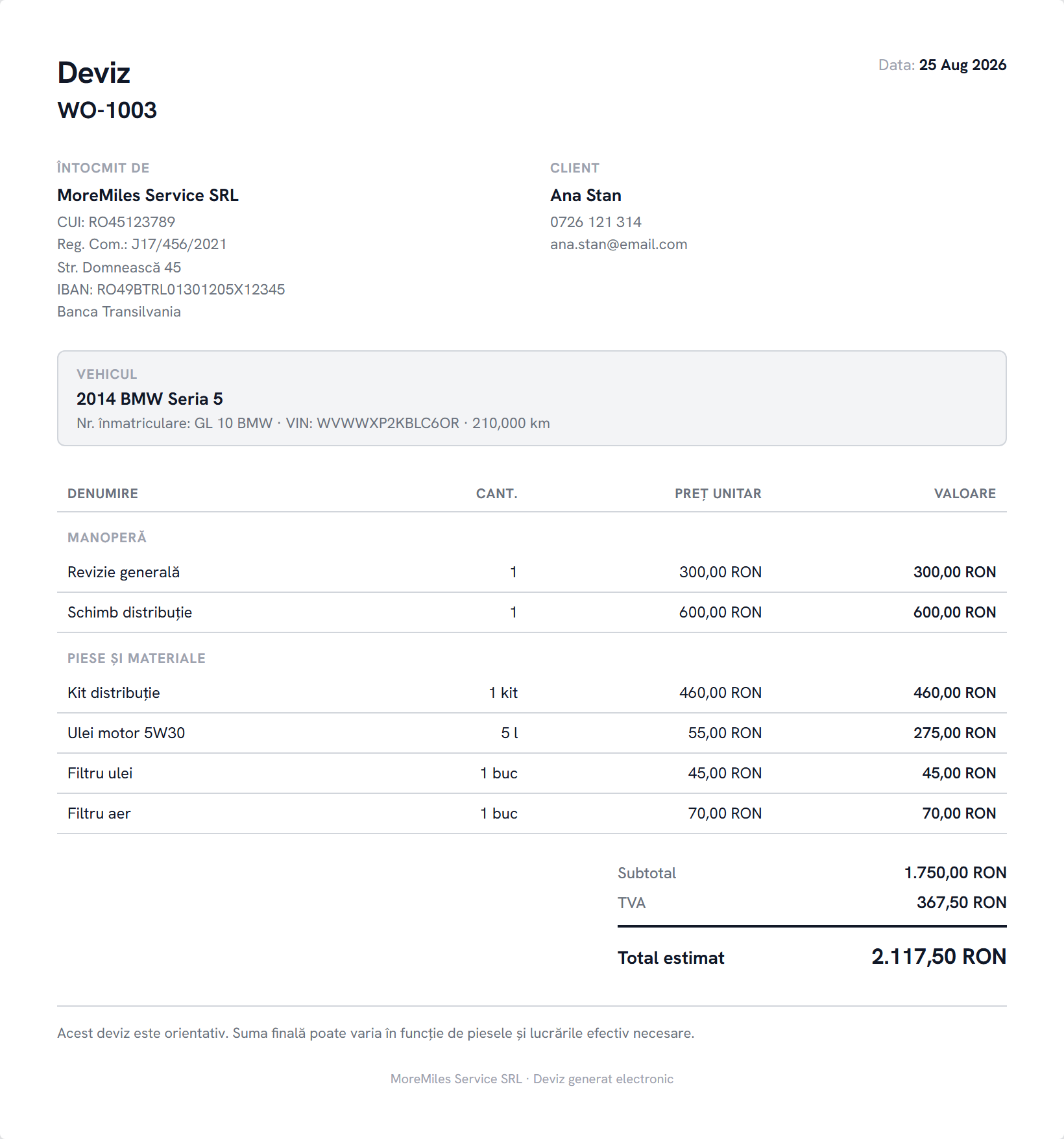
This is the estimate your customer receives
Your shop's details, the car, labor and parts on separate lines, VAT and the estimated total. The same estimate prints on A4.
- Your company details: tax ID, trade register number, IBAN
- The car: plate number, VIN, mileage
- Labor and parts listed separately, with VAT
- The customer's signature also shows on the printed estimate
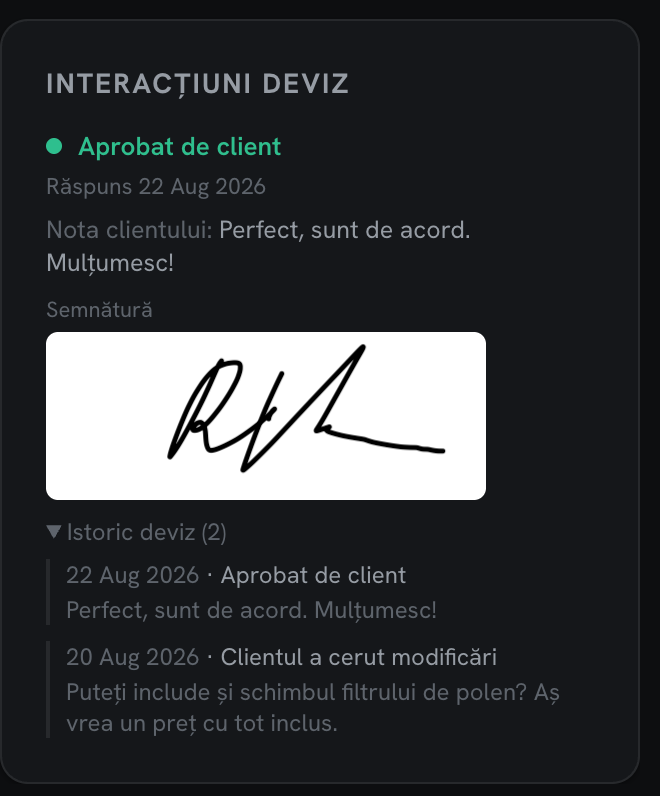
See who approved, when, and what they asked for
The customer's answer shows on the work order with the date and their signature. If they asked for changes, you read the note, fix the estimate and send it again. Every send stays in the estimate history.
- Approved with a signature, or changes requested with the customer's note
- The history of every send, with dates
- An in-app notification when the customer answers
Same lines, same total
The invoice comes from the same job card
When the work is done, you invoice from the work order you built the estimate on. The lines are already there.
The total matches
The estimate and the invoice are calculated the same way, so if the job didn't change, the customer pays exactly what they approved.
e-Factura from the app
The invoice gets the next number in your own series. If you've connected your ANAF certificate, you send it to SPV straight from MoreMiles.